Flags, targeting, segments, and contexts
Feature flags separate deployment from release. Each flag has an immutable key, a display name, a type, ordered variations, tags, lifecycle metadata, and an environment-specific delivery configuration.
Create and configure a flag
Go to Organization → Project → Flags → Create flag. Choose Boolean, String, Number, or JSON, enter a stable key, then define variations. SDKs reference the key, so rename the display name instead of changing keys in application code.
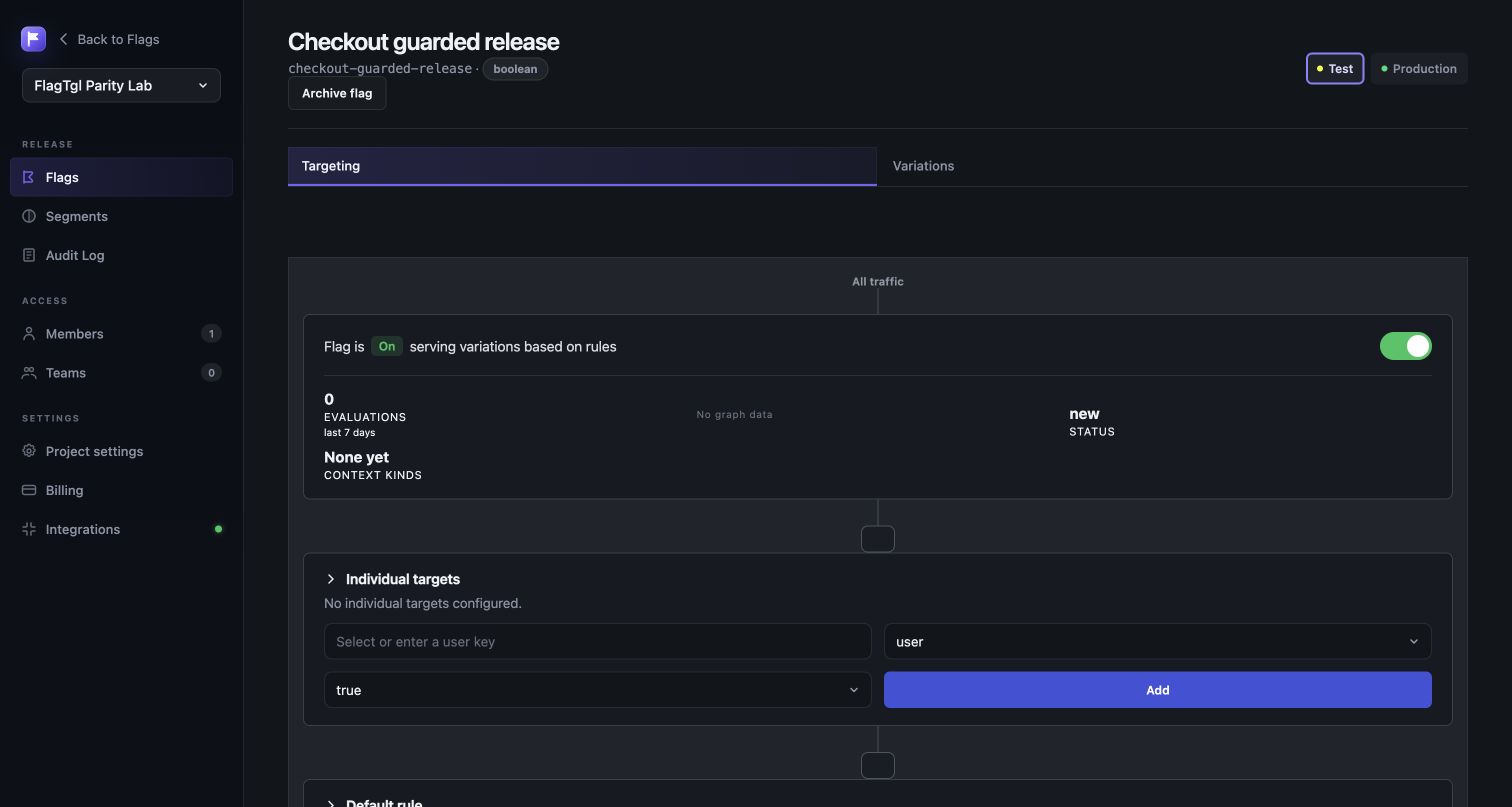
Open a flag to configure one environment at a time:
- Set the off variation, served when targeting is off.
- Add individual targets for
user,tenant,organization, device, service, or any custom context kind. - Add ordered targeting rules. All clauses in a rule must match. The first matching rule wins.
- Choose a fixed variation or percentage rollout for each rule.
- Set the default rule for traffic that did not match earlier rules.
- Turn targeting on and review the pending diff.
Rules support equality, membership, substring, semantic version, numeric, date/time, regex, and segment operators. Percentage rollouts hash the flag key, context kind, context key, bucket attribute, and rollout salt to produce stable allocation. A 10% rollout therefore keeps the same context in its bucket until the rollout configuration changes.
Prerequisites and availability
A prerequisite evaluates another flag before the current flag. If the prerequisite does not return an allowed variation, FlagTGL serves this flag's configured prerequisite-failure value. Avoid prerequisite cycles.
Client-side and mobile availability determine whether a flag is included in browser or mobile SDK payloads. Server SDKs can evaluate every flag available to their environment key. Permanent, deprecated, archived, and last-requested metadata drive lifecycle signals but do not silently delete configuration.
Segments
Go to Project → Segments. A segment is a named audience reusable by many flags. It can include or exclude context keys directly and can contain ordered attribute rules. Big-segment references are preserved from LaunchDarkly; operational freshness depends on the configured backing store.
Multi-context evaluation
A context may be a single kind:
{"kind":"tenant","key":"acme","plan":"enterprise","region":"ca"}
or a multi-context:
{
"kind": "multi",
"tenant": {"key":"acme","plan":"enterprise"},
"device": {"key":"d-9","os":"ios"}
}
Target clauses name the context kind and attribute they inspect. Private attributes may participate in local evaluation but should be removed from analytics payloads by the SDK configuration.
Context explorer and live events
Go to Runtime → Context explorer to search observed context keys and attributes, see the application/version that reported them, evaluation counts, anonymity, and first/last-seen times. Entries appear after SDK evaluation or identify traffic is ingested.
Go to Runtime → Live events to inspect recent feature evaluations, identifies, custom conversions, metric events, and diagnostics. Filter with the environment selector; use the flag/context columns and evaluation reason to diagnose targeting. The view is recent operational data, not the immutable audit log.