Migrations, integrations, and settings
Feature flag migrations
Go to Organization → Migrations and choose LaunchDarkly, Unleash, ConfigCat, or Flagsmith. Migration credentials are masked after storage. Use an optional project/config scope to keep a broad credential from importing unrelated data.
Read the migration overview for the cross-provider capability matrix and each provider's exact transformations, discrepancies, and cutover requirements.
LaunchDarkly uses an API access token. Unleash uses an Admin API token and the URL of your Unleash instance. ConfigCat uses the Public Management API credential ID and password. Flagsmith uses an organisation API key; self-hosted installations can override the API URL.
Use Save scope after changing project keys. Preview changes performs a dry run; Sync now queues an asynchronous import and shows progress. Disconnect removes the stored connection but does not delete imported resources.
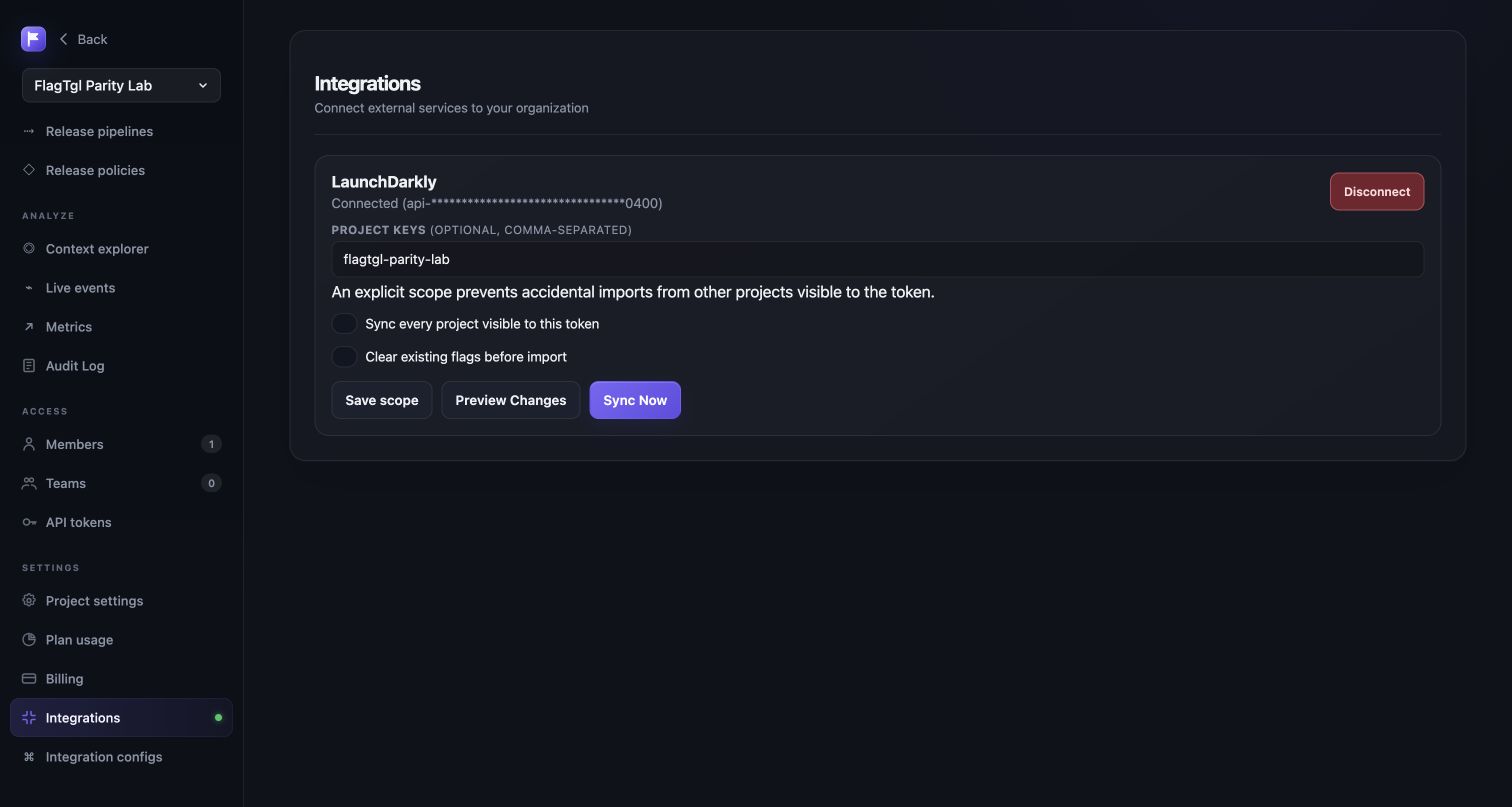
The completed report separates created, updated, and unchanged flags so repeated syncs are easy to audit. A healthy second run normally shows the project synced and unchanged flags rather than duplicates.
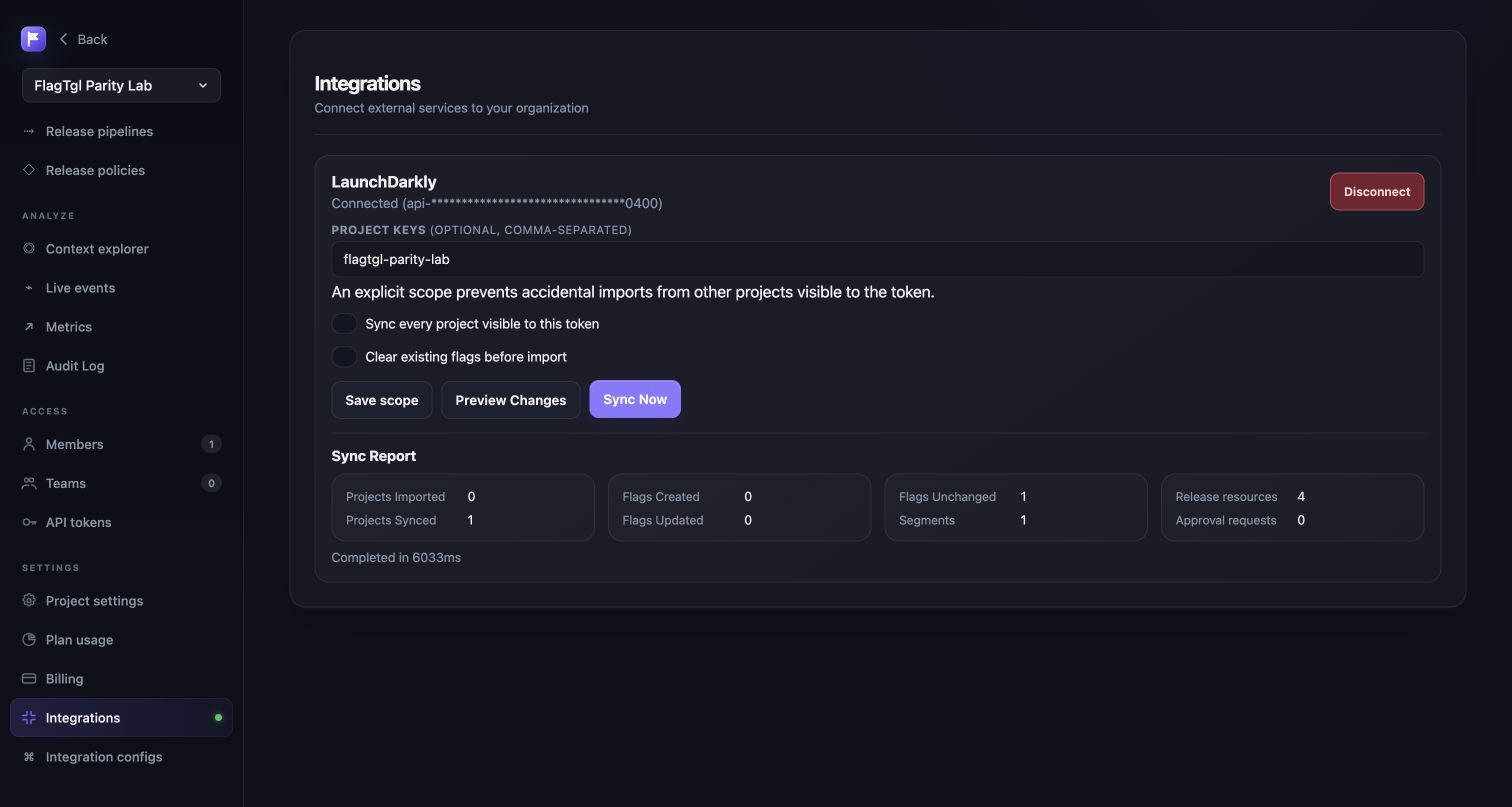
The migration record may restrict project keys. With no project filter, every project visible to the credential is considered. Leave Clear existing flags off for normal repeatable sync; enabling it is a replacement operation and can remove FlagTGL-side flag edits in selected projects.
Integration-specific configuration
Open Project → Integration configurations, choose a provider, complete its settings, save, and select Test. FlagTGL validates required settings before saving and reports the provider response for outbound connections.
| Provider | What the configuration does | Test behavior |
|---|---|---|
| Webhook | Sends FlagTGL release events to an HTTP(S) endpoint | Posts a signed-style test event and requires a 2xx response |
| Slack | Sends release and approval notifications through an incoming webhook | Posts a visible test message and requires a 2xx response |
| Datadog | Sends release events to the Datadog Events API | Authenticates with DD-API-KEY and requires a 2xx response |
| Terraform | Records the automation token name and role used by the FlagTGL management API | Validates configuration; Terraform uses API tokens rather than outbound delivery |
| Relay proxy | Records and validates the HTTP(S) base URL and streaming mode | Validates configuration; SDKs connect to the relay endpoint |
| Audit export | Selects CSV export and retention metadata | Validates configuration; Organization → Audit log → Export downloads the data |
Provider-specific values remain in the lossless configuration envelope so imported settings can round-trip without dropping unknown fields. Test responses never echo API keys, webhook secrets, or tokens.
FlagTGL never activates an external destination merely because its configuration was imported. Validate credentials, destination permissions, and test delivery before enabling it. Webhook, Slack, and Datadog tests make an outbound request; Terraform, relay proxy, and audit export are validated locally because those integrations consume FlagTGL endpoints.
Project settings
Open Project → Project settings for general name/key/description and defaults. Environment settings include critical designation, confirmation for destructive changes, required comments, secure-mode behavior, event tracking, TTL, API/SDK credentials, and mobile keys. Flag defaults include client/mobile availability, key conventions, templates, lifecycle policy, and default release policy. Context-kind settings define kind keys, display names, experiment availability, and default randomization kind.
SDK keys are environment credentials. Rotate a key from the environment settings, update applications, and revoke the previous key only after clients have moved. Never put a server SDK key in browser code.
Organization settings
Members controls reader/writer/admin access. Teams groups membership and role assignment. API tokens creates revocable automation credentials; the secret is shown once. Audit log records actor, action, resource, timestamp, and change details. Plan usage shows current consumption and limits. Billing provides subscription status, invoices, and the Stripe customer portal.
Paid plans have a 14-day trial. Pricing offers monthly or yearly billing; yearly is about 20% less ($15, $40, and $120 per month when billed yearly). The checkout summary shows the trial end and post-trial amount before confirmation.